Skip to content
Cardlyكاردلي
BUILT IN QATAR. SHARED EVERYWHERE.

A better way
to be remembered.

Your identity, your brand, and every way to connect—in one beautifully designed digital card. Made for the conversations that move Qatar forward.

No app requiredEnglish & ArabicShare by QR or link
Ready to connectSave details instantly
Appointment requestPick a time that works
DESIGN DEMO · NOT AFFILIATED
Global connectionsA premium bilingual business card
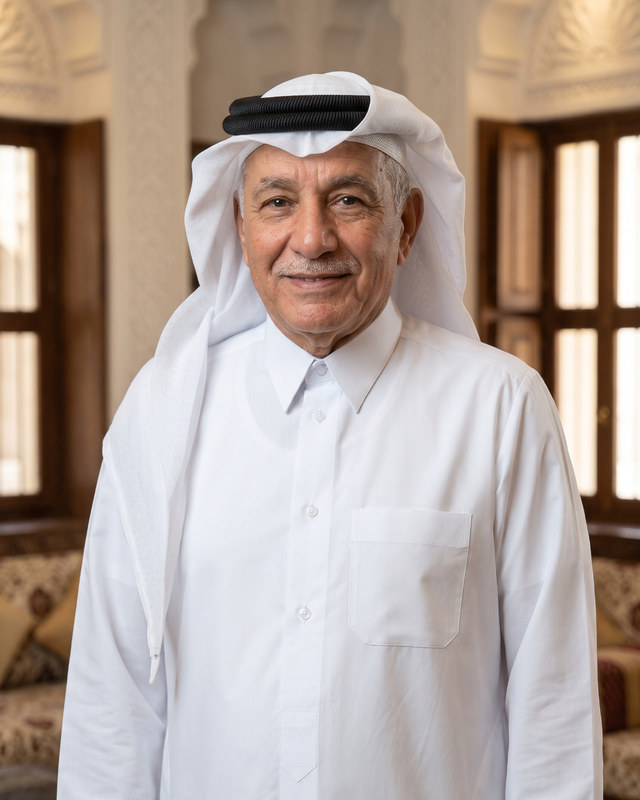
Sample Cardly profile: Khalid Al-Hammadi✓

Khalid Al-Hammadi

Senior Partnerships Manager
Qatar Airways
Call
WhatsApp
Email
LinkedIn
Location
Save contact
Qatar AirwaysPremium travel introductions, beautifully shared.
Sample preview · not a real customer
DESIGN PREVIEW · SAMPLE PERSON
ONE LINK. ENDLESS OPPORTUNITY.
01A first impression you control.
02A lasting contact they can keep.
03A smarter way to follow up.

Distinctive by design.
Personal by nature.

Different people. Different professions. Different ambitions. Explore the card styles you can create on Cardly.

CARDLY / 01—06

TEMPLATE EXAMPLE

Illustrative examples. Names, organisations and verification indicators in these previews are fictional.

Interactive sample
◎ عربي⌯
DESIGN SAMPLE · NOT AFFILIATED
Sample Cardly profile: Khalid Al-Hammadi✓

Khalid Al-Hammadi

Senior Partnerships Manager

Strategic Partnerships & Business Development

Call
WhatsApp
Email
LinkedIn
Location
Save contact
Qatar AirwaysPremium travel introductions, beautifully shared.

Connecting people and creating partnership opportunities across Qatar and international aviation networks.

Company channels

fFacebook
◎Instagram
𝕏X
My QR codeShare card
Book an appointment
Sample preview · not a real customerQR & sharing

More than a digital card.

From your first introduction to the next meeting, Cardly keeps your details accessible and your identity consistent.

CARDLY / 01

Your brand. Your standards.

Custom templates with your logo, colors, cover, and company channels—designed once, consistent across the team.

CARDLY / 02

Built for both languages.

English and Arabic card views, with right-to-left layouts that feel natural in Qatar.

CARDLY / 03

Contact verification, clearly shown.

Card-level email OTP, Qatar mobile SMS OTP, or both—depending on the administrator’s policy. A blue tick confirms the required contact checks.

CARDLY / 04

Meetings made easier.

Let people request appointments from your card, select available time slots, and receive booking details by email.

CARDLY / 05

One scan. Details saved.

Share a QR code, send a direct link, or put the URL on an NFC card. No app download required.

CARDLY / 06

Know what connects.

See card views, contact interactions, enquiries, and appointment activity where enabled.

CARDLY / 07

Never lose an introduction.

An enquiry form on the card lets visitors send a message straight to the card owner.

CARDLY / 08

One company. Many people.

Maintain branded organisation templates while each employee manages personal contact details.

For every meaningful introduction.

Meet clients, represent your business, and make it easy to reconnect—wherever work takes you.

01

Corporate teams

Keep employees on-brand across departments, offices, and meetings.

02

Founders & consultants

Show your expertise, your contact channels, and your availability in one place.

03

Events & networking

Make business cards easy to share at conferences, exhibitions, and events.

04

Creators & gamers

Bring your social identity, communities, and links together in a distinctive layout.

Simple to create. Easy to share.

01

Create an account

Register with your email and complete account email verification.

02

Choose & verify your card

Select a template, add your details, and complete the required one-time email/SMS checks before first save.

03

Share it everywhere

Use your card URL, QR code, or NFC link. Update ordinary details without repeating the card OTP.

Turn an introduction into an appointment.

People can choose from available appointment times directly on your card. Less back-and-forth. A clearer next step.

Public booking page
Choose a date & time
Receive a booking request
Create a card with booking
Cardly AppointmentsIllustrative interface · Qatar time
Schedule a conversation with your contact
NOV
0910111213
Available times Asia/Qatar
09:3011:0014:30
Request appointment
Preview of available metrics, not live Cardly platform totals.

See what your card makes possible.

From new profile views to contact actions and appointment requests, your workspace brings the activity together.

Preview of available metrics, not live Cardly platform totals.
CARDLY / ANALYTICSILLUSTRATIVE ANALYTICS
Profile views—
Contact actions—
Booking requests—
Enquiries—
Activity over time

Start here. Grow from here.

Explore the current plans and card limits directly from Cardly. Prices shown in Qatari Riyals.

Need a branded rollout for your team? Talk to us ↗

Questions, answered.

hello@cardly.qa ↗

Do my contacts need an app?

No. Cardly links open in a regular browser. Visitors can call, email, use WhatsApp, scan your QR, or save a vCard when provided.

Is Arabic fully supported?

Yes. Business cards can display Arabic and English content, with dedicated right-to-left presentation for Arabic.

What does the blue verification tick mean?

It shows the required contact verification checks were completed for that card. Depending on admin settings these can be email, Qatar mobile SMS, or both. It is not an employment or identity certification.

Can we use one design across the company?

Yes. An organisation template can share logo, colours and company channels, while individual cards retain their own names, roles, and contact details.

Can visitors book appointments?

Cards with scheduling enabled can offer available times and collect appointment requests. Availability and notifications depend on the owner’s configuration.

How do we share cards at events?

Send the public link, display the QR code, or use an NFC product programmed with the card URL.

Make every introduction count.

For one professional, a growing business, or the whole team—start with a better digital identity.